2021/05/28

Can wiTech Micropod2 Work 2018+ FCA Models?

As titled, Can we dial with Chrysler (Dodge Jeep)  2020 2021 models with the Microod2 China clone wiTECH 1.0 (17.04.27)? Here are some clues.


2018 + FCA cars have new ecu SGW which need to be unlocked online WITECH 2.0 for diagnostic session or need to bypass SGW.  wiTECH 1.0 will not be able to dial with 2018+ FCA models. wiTECH 2.0 is mandatory.

There are 2 Micrpod II clone interfaces available:
SP271-C1 without WiFi. This one with wiTech 1.0 supports Chrysler till 2017/some 2018.  No possibleto support Chrysler 2020 or newer.

SP271-C2 with WiFi module.
It has the possibility of doing latest Chrysler by changing the serial number to work with wiTech 2.0. wiTech 2.0 requires MOPARS 2017 secure micropod II VSP-31560 or above.

We don’t provide Serial Number service nor tutorial. You are at your own risk.


Tips:

If you have clone with serial number change 000000 will not work because the serial number is lower then recommendation per witech2 must have new Micropod2 number starting 31xxxx must higher able can using witech 2 diag application. 

You can use witech1 17.04.027 but you need pay some set up this version pass FCA check up when you launch witech1 application ..BUT you can’t log in dealer connect if you have log in techauthority ID not dealer connect tech ID & dealer codes.

witech-dealer-account


Some FAQs:

Q: will be possible to work online?

A: Yes, tested by many.  Online subscription to TechAuthority works with both USB and WIFI MicroPod 2. 

No difference if the Micropod 2 is clone or genuine, both of them work perfectly for diagnostics and programming, online or offline, with TechAuthority account.


Q: Does wiTech 2.0 still have a DRB III emulator?
A: The DRB 3 Emulator is no longer included with the wiTECH software, it was removed a few years ago.

You can download DRB3 from third-party resources and test with micropod2 clones. Security is unknown.

or go for wiTech VCI Pod which has DRBIII emulator included in default.


Q: Does the scanner MicroPOD II witech 2.0 also read the old Chrysler??

A: No, the Micropod 2 with WiTech 2.0 software will only work on most CAN compliant vehicles 2007 and newer, and some Chryslers back to 2004.

For vehicles not covered by WiTech software you will need a DRB III or DRB III emulator.


Q: How to work online micropod2 through witech 17.04.27?

A:

-First you need to get a TechAuthority subscription, directly from TechAuthority or from AEtools (You can order a 3-day subscription).
-Then open the Witech program and when the Micropod 2 is detected click the “Next” button at the right bottom in the screen.
-In the next screen you have to enter your license credentials but the first option is only for dealers: username, password and dealer code.
-To use the TechAuthority account you need to click in the tab “change server” and select “Techauthority”, then you only need your username and passsword, not dealer code needed because TechAuthority access is intended for aftermarket or independent workshops.

With TechAuthority access we can use all functions in Witech 17.04.27 for diagnostics, calibrations and programming. We can Update or reprogram the PCM, TCM, TIPM… also we can program a new key or make “Restore vehicle options”, “Reset Ecu” and many other calibrations like “Learn ETC”, “proxy alignment”…, also we can install a new module and make a full flash or configuration. All of this is only possible for vehicles until 2017, for vehicles from 2018+ we need to use Witech 2.0.


FYI: There is a hardware bypass solution for the SGW that uses the chrysler 12 + 8 cable, i.e Autel or Launch X431 with AutoAuth access.


http://blog.obdii365.com/2021/05/28/does-witech-micropod2-clone-work-on-chrysler-2020-2021/

2021/02/20

2005 Chrysler SRT6 ABS Bleeding by DBR3

My Micropod 2 and DRB III Emulator Software works fine to Perform selected ABS functions on my 2005 SRT6. obdii365.com is where a few of us have bought one and it worked.

micropod2-drb3-chrysler-srt6-abs-bleeding-1

Source: https://www.obdii365.com/wholesale/witech-micropod-2-diagnosis-programming-for-chrysler.html

Price: $129


Installation:

OS: XP, WIN7 32bit (someone tested Windows 7 Professional (64 bit) works just fine).

I followed this instruction to install DRBIII Emulator for Micropod 2 on Windows 7 Pro 32bit and it worked perfectly:


https://www.obdii365.com/service/install-witech-micropod-ii-v17.04.27-on-windows-7.html


Using the DRB III Enhanced Emulator for Crossfire ABS System

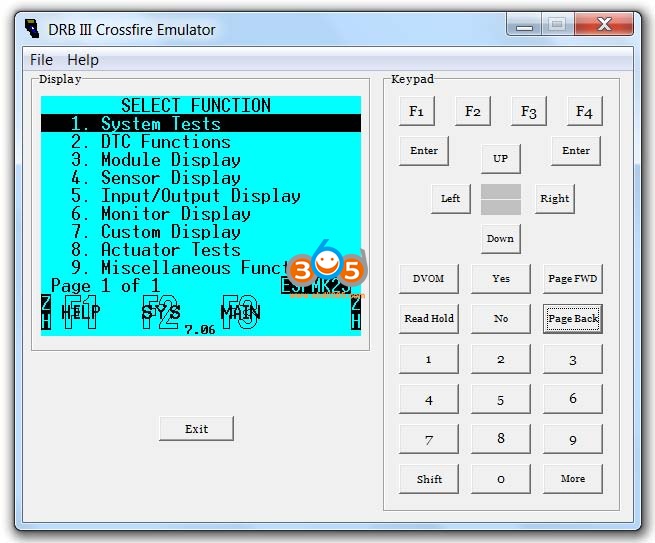
I put together these images showing the DRB III emulator capabilities for the ABS system. There are seven additional systems listed on the menu, but I haven’t had a chance to go through and document the emulator capabilities for them all.


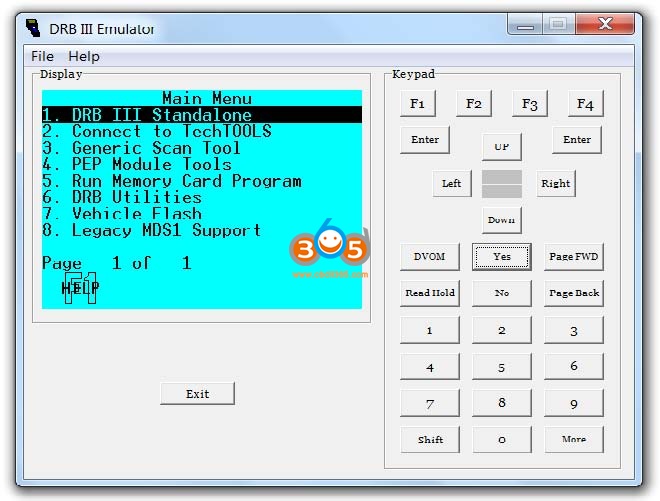
Starting the Emulator

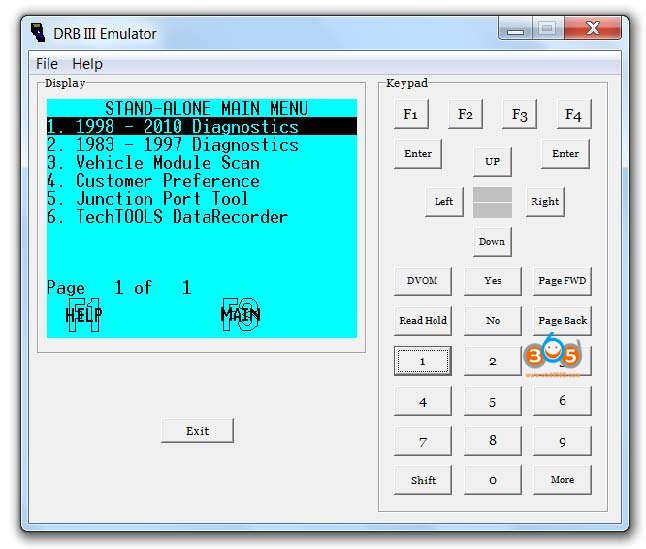
micropod2-drb3-chrysler-srt6-abs-bleeding-2


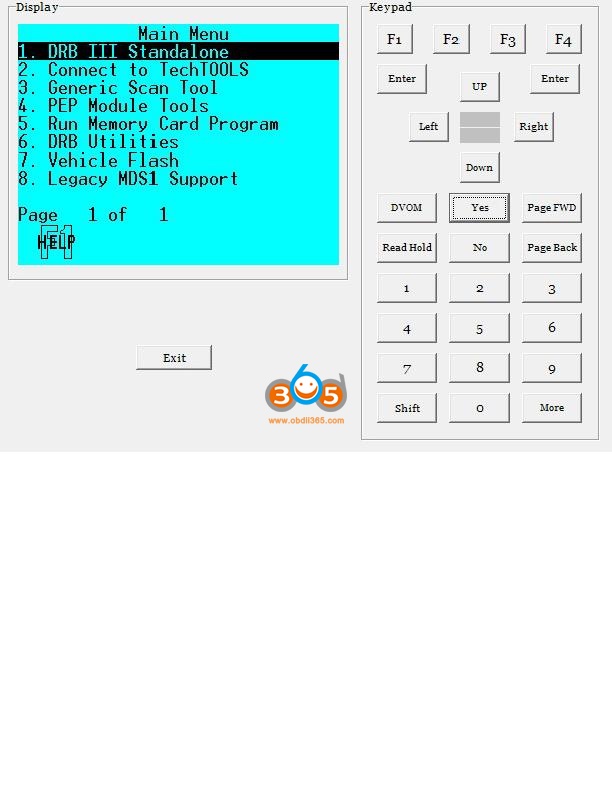
Choose Standalone Mode.

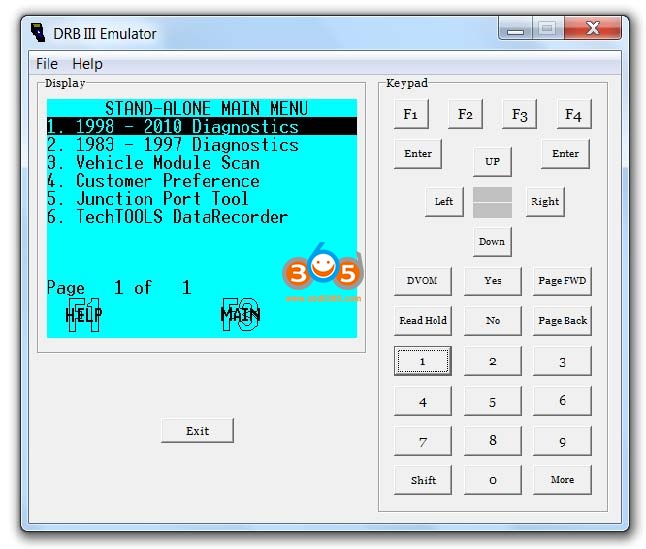
micropod2-drb3-chrysler-srt6-abs-bleeding-3


Choose 1998-2010

micropod2-drb3-chrysler-srt6-abs-bleeding-4


Choose 2004-2008 Crossfire

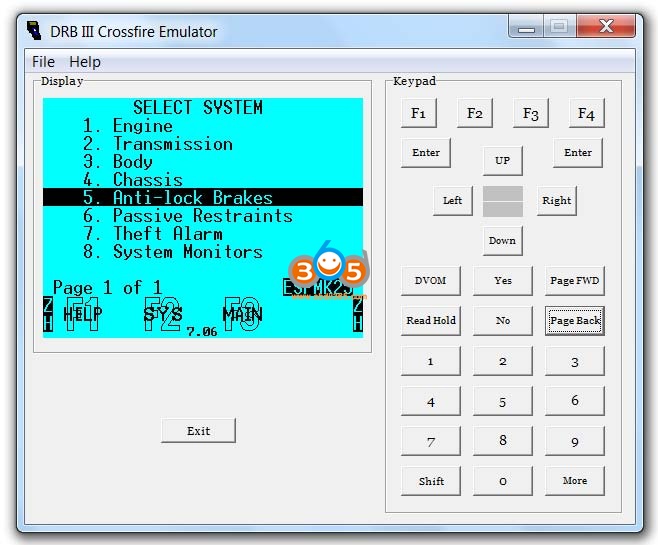
micropod2-drb3-chrysler-srt6-abs-bleeding-5


Choose Anti-lock Brakes

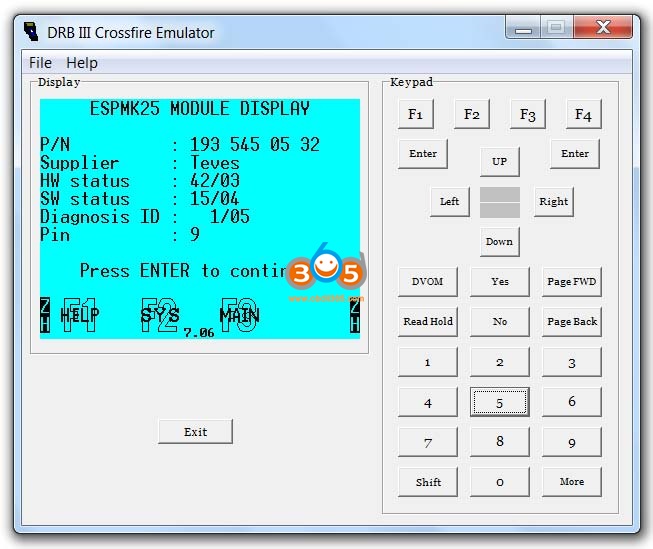
micropod2-drb3-chrysler-srt6-abs-bleeding-6

This Module is Displayed – Press ENTER

micropod2-drb3-chrysler-srt6-abs-bleeding-7


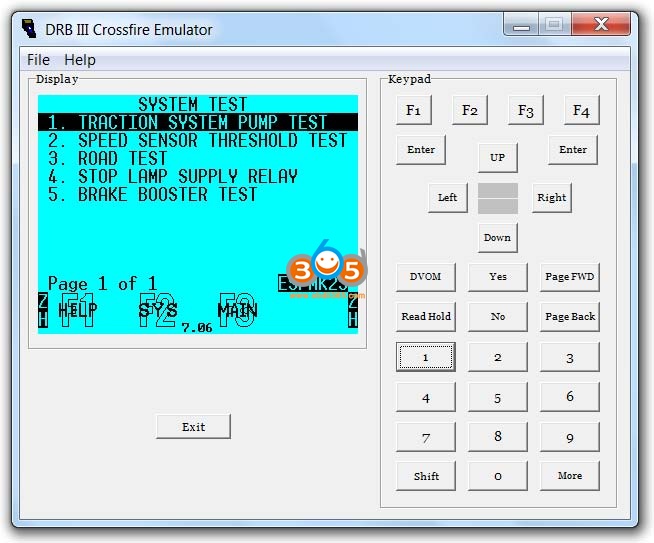
Select System Tests

micropod2-drb3-chrysler-srt6-abs-bleeding-8


Available options under System Tests

micropod2-drb3-chrysler-srt6-abs-bleeding-9


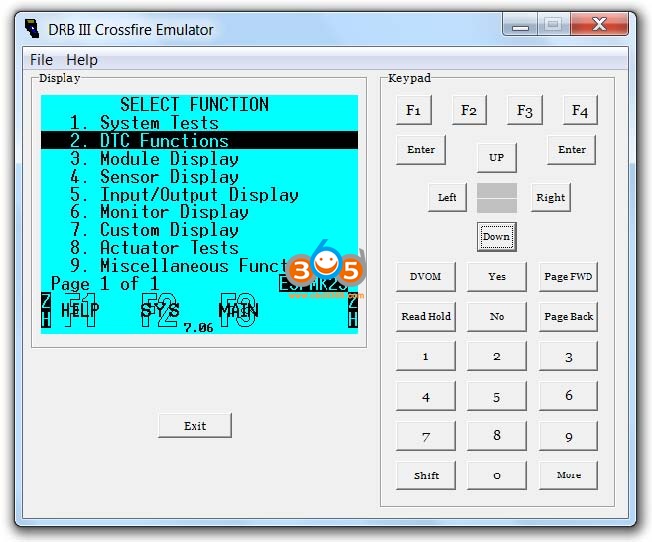
Select DTC Functions

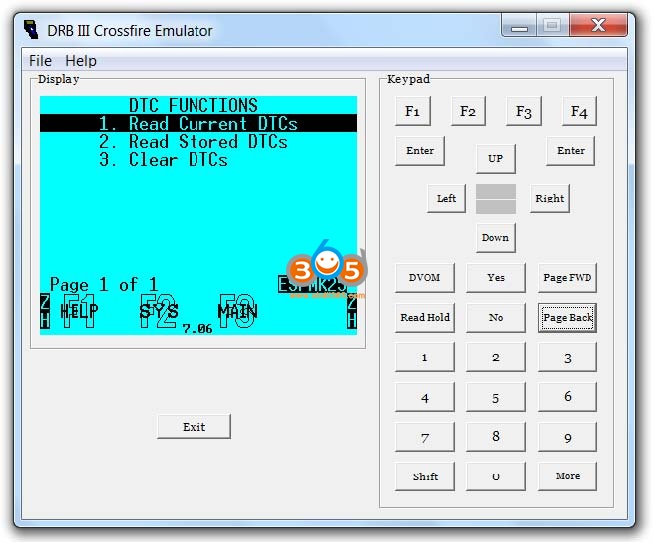
micropod2-drb3-chrysler-srt6-abs-bleeding-10


Available options under DTC Systems

micropod2-drb3-chrysler-srt6-abs-bleeding-11


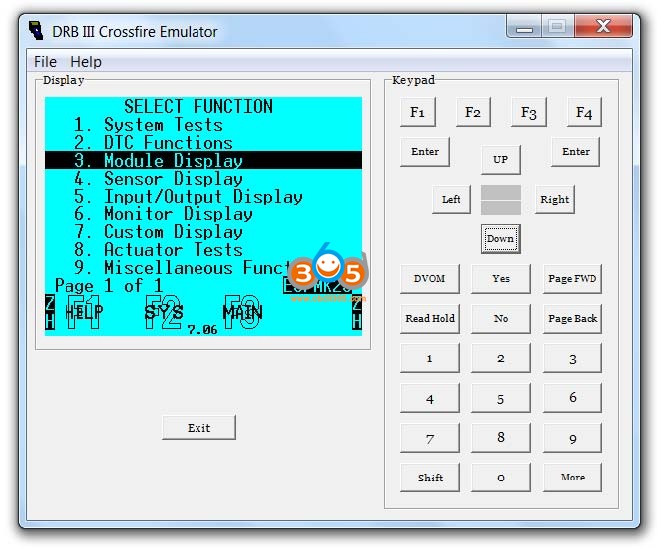
Choose Module Display

micropod2-drb3-chrysler-srt6-abs-bleeding-12

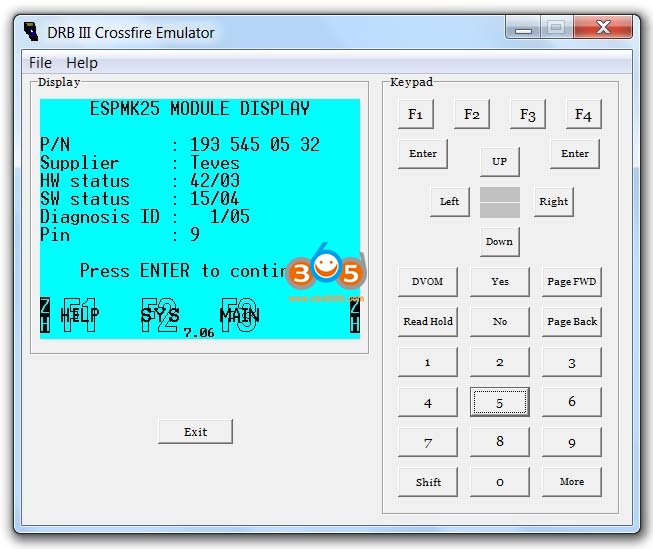
This Module is Displayed

micropod2-drb3-chrysler-srt6-abs-bleeding-13


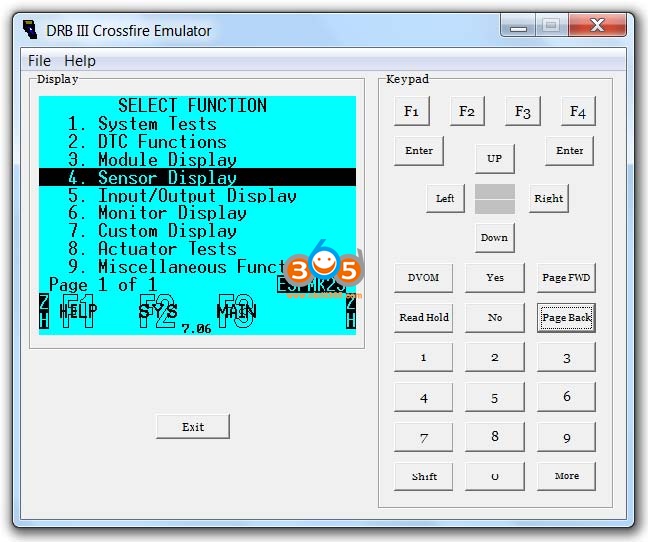
Select Sensor Display

micropod2-drb3-chrysler-srt6-abs-bleeding-14


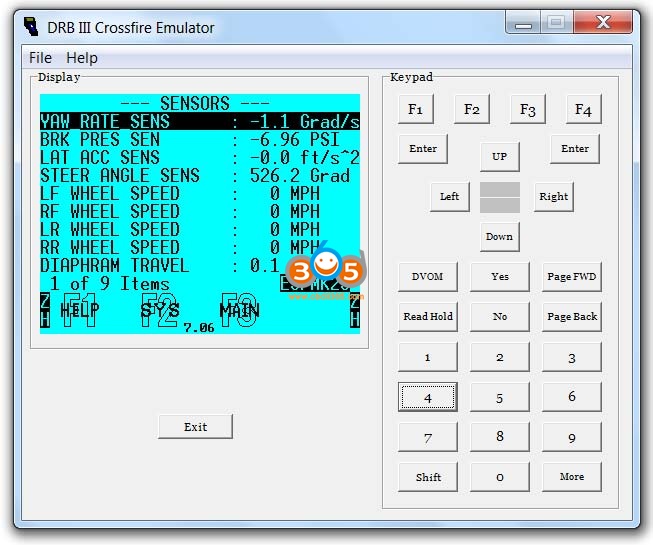
Available options under Sensor Display

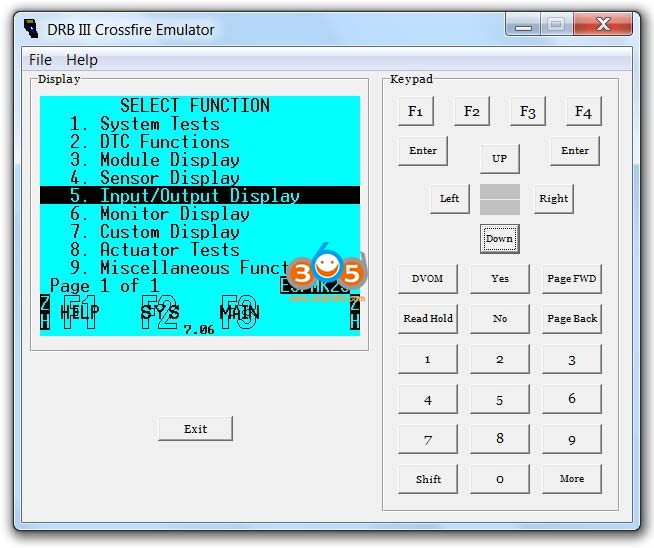
micropod2-drb3-chrysler-srt6-abs-bleeding-15


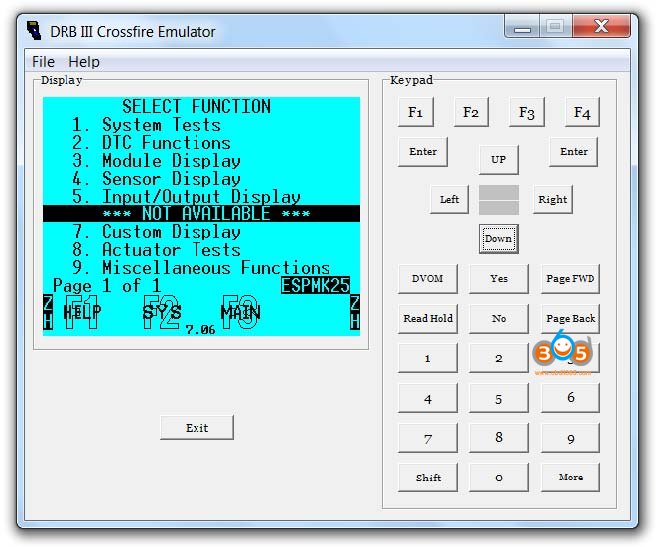
Select Input/Output Display

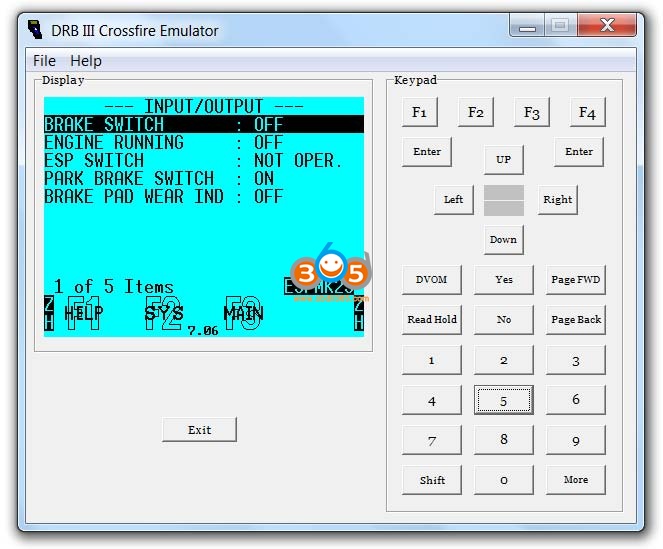
micropod2-drb3-chrysler-srt6-abs-bleeding-16


Available options under Input/Output Display

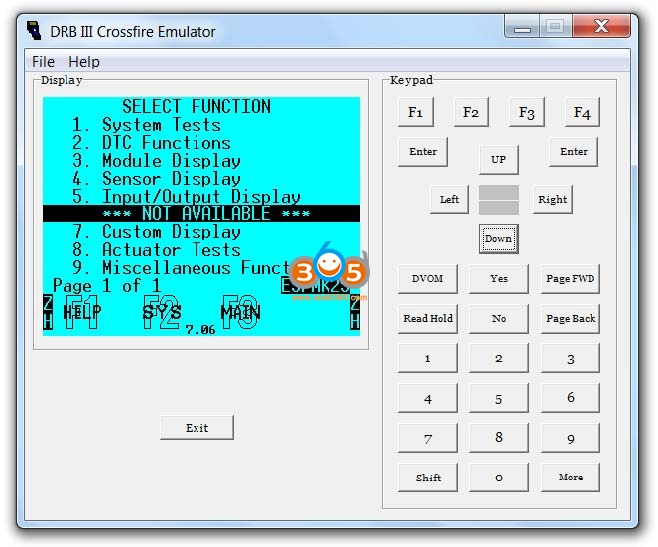
micropod2-drb3-chrysler-srt6-abs-bleeding-17


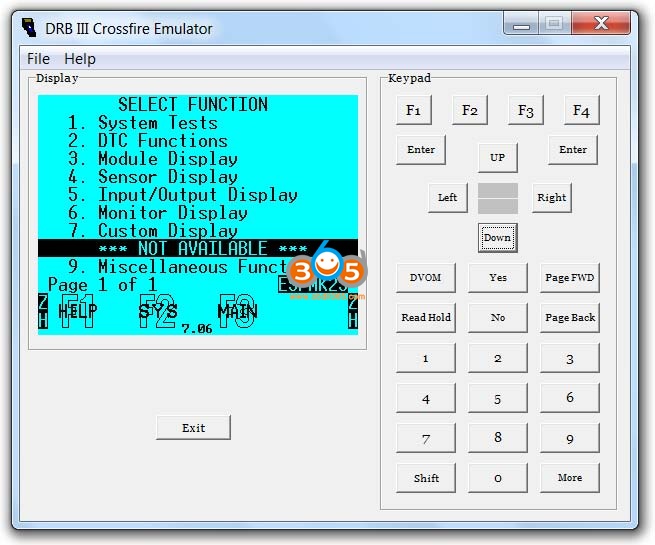
Monitor display is not available

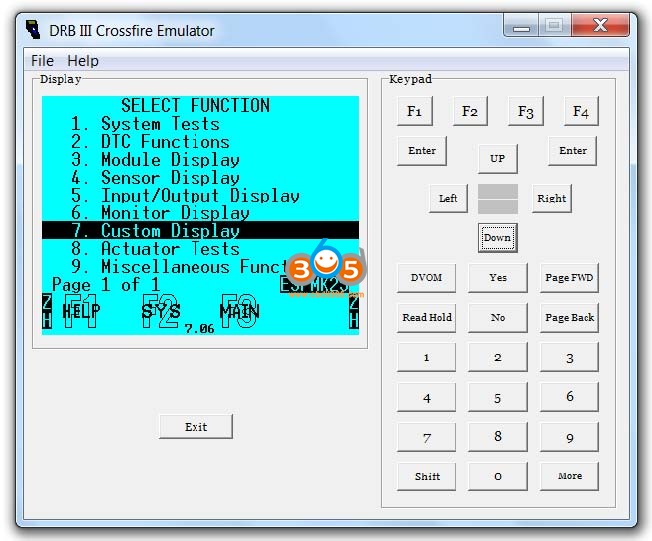
micropod2-drb3-chrysler-srt6-abs-bleeding-18


Select Custom Display

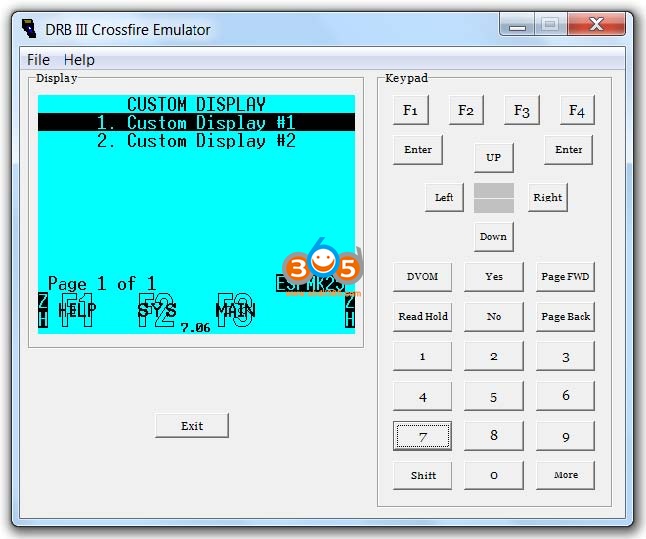
micropod2-drb3-chrysler-srt6-abs-bleeding-19


Available options under Custom Display

micropod2-drb3-chrysler-srt6-abs-bleeding-20


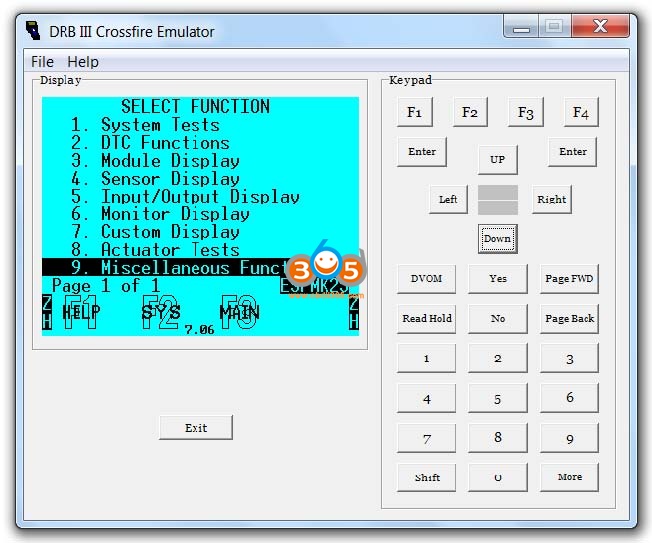
Actuator Tests is not available

micropod2-drb3-chrysler-srt6-abs-bleeding-21


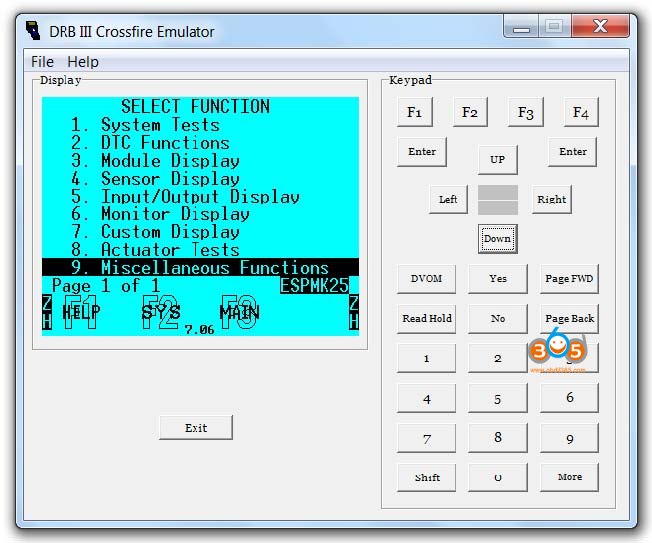
Select Miscellaneous Functions

micropod2-drb3-chrysler-srt6-abs-bleeding-22


Available options under Miscellaneous Functions

micropod2-drb3-chrysler-srt6-abs-bleeding-23


Enjoy!


https://www.obdii365.com/service/2005-chrysler-srt6-abs-bleeding-by-micropod2-and-drb3.html


2021/02/19

2007 Chrysler Crossfire TPMS Relearn by DRB III

Performing a Train (Relearn) sequence on the 2007 Chrysler Crossfire using the DRB 3 Enhanced Emulator and wiTech Micropod 2.


Firstly, have everything you will need:

1) Good computer knowledge

2) A laptop with a clean Windows XP or Windows 7 installation on it. Nothing else. Networking and Updating turned off.

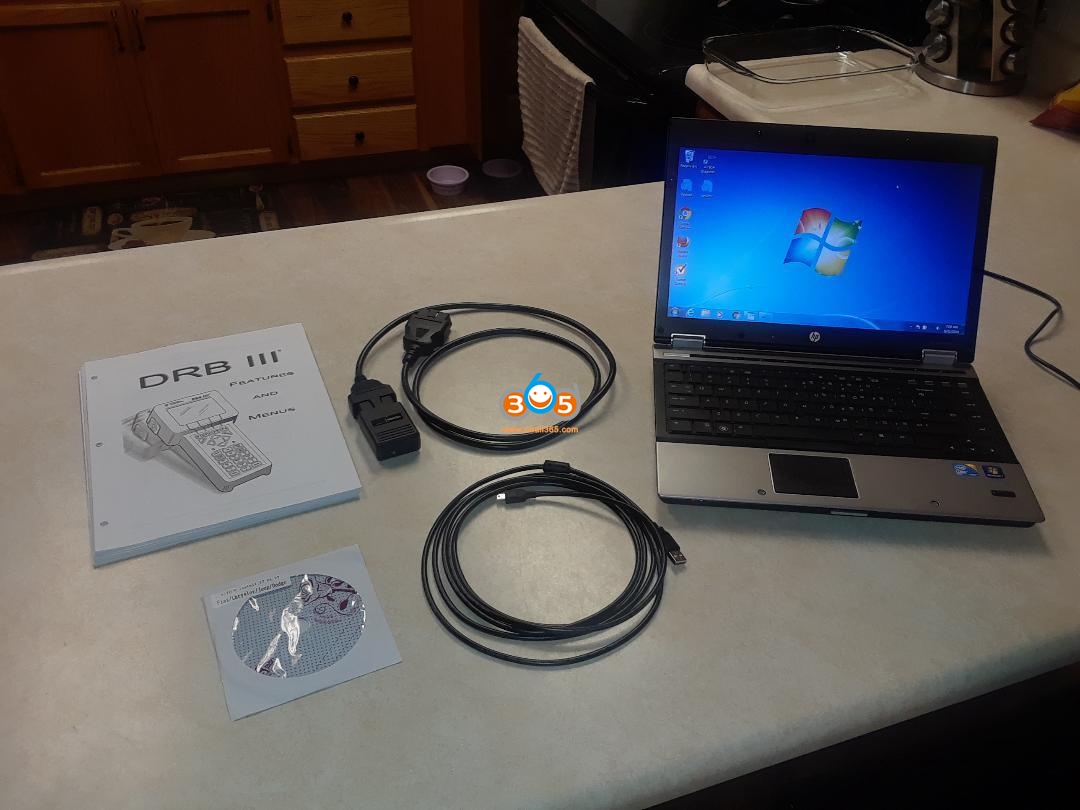
3) A Micropod 2 Clone

4) Follow these instructions (How to install DRBIII Emulator for Micropod 2 on WIN7)

5) A TPMS tool to “chirp” the sensors so the vehicle can read them (I use the Autel TS601)

6) Perform a TPMS Relearn sequence using DRB III Emulator. Chirp each wheel when requested by the emulator. (Takes about 5 minutes).


If the laptop has audio, you will hear a beep after each wheel’s ID is accepted by the TPMS system. Four beeps and you are done. On screen instructions will guide you through the process. The individual wheel sensor ID’s will be read by the emulator and automatically programmed into the TPMS.


What process to follow?

I have run the sequence to perform a TPMS relearn using the DRB lll Enhanced Emulator and Micropod ll. The following 10 images show the sequence I followed along with a snapshot of each displayed screen from the Laptop.

micropod2-witech-crossfire-07-tpms-relearn-1

micropod2-witech-crossfire-07-tpms-relearn-2

micropod2-witech-crossfire-07-tpms-relearn-3

micropod2-witech-crossfire-07-tpms-relearn-4

micropod2-witech-crossfire-07-tpms-relearn-5

micropod2-witech-crossfire-07-tpms-relearn-6

micropod2-witech-crossfire-07-tpms-relearn-7

micropod2-witech-crossfire-07-tpms-relearn-8

micropod2-witech-crossfire-07-tpms-relearn-9

micropod2-witech-crossfire-07-tpms-relearn-10


I stopped at this point, because I am not performing a relearn at this time. Please note: magnets are not required when performing activation of the wheel sensors using a TPMS tool.


Thanks to @ John&Terry. This really helps outline steps required to clear the TPMS warning light after correcting any issues with wheel sensors.


Best working wiTech Micropod 2:

https://www.obdii365.com/wholesale/witech-micropod-2-diagnosis-programming-for-chrysler.html